# Macros

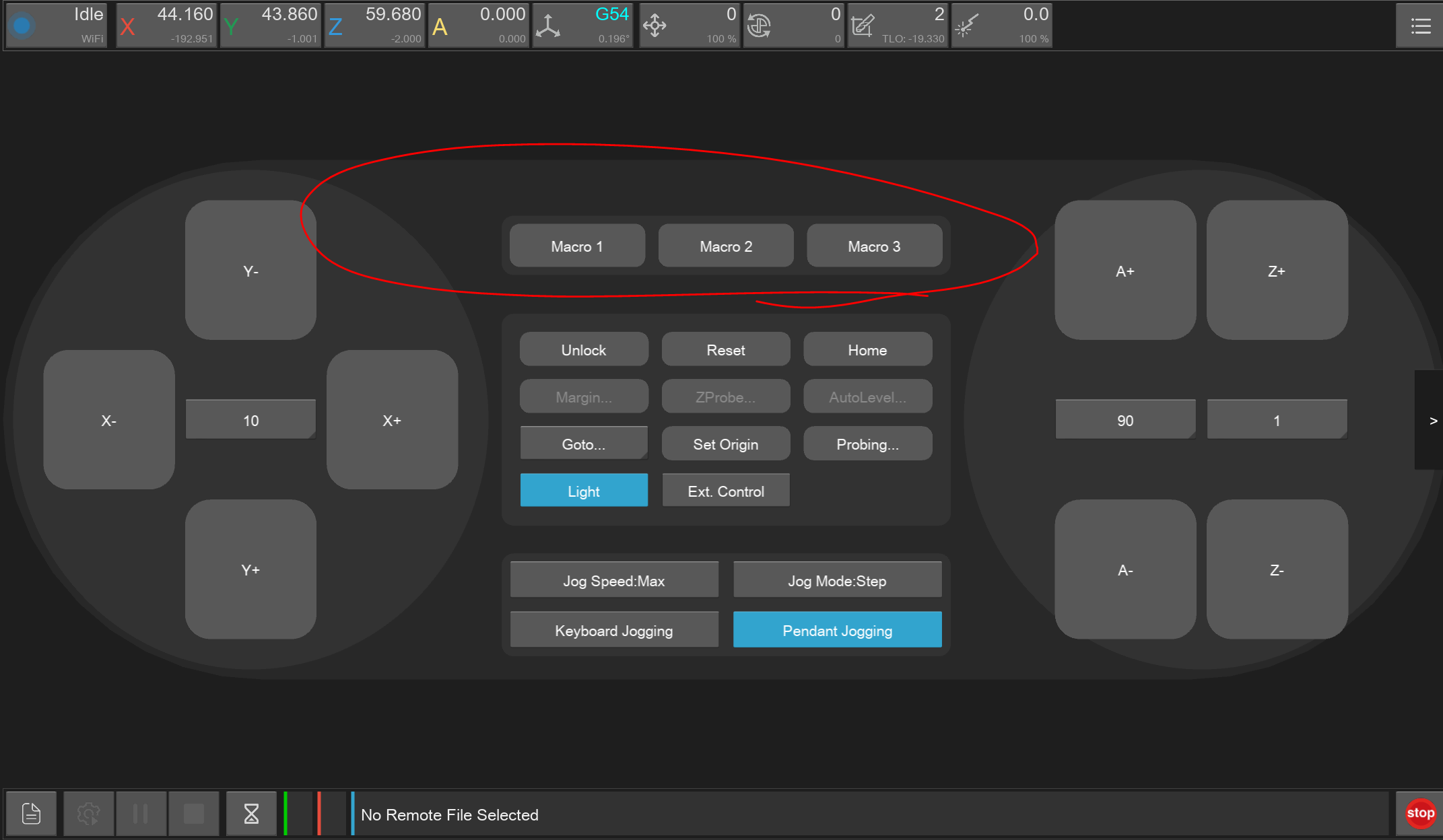
A row of macro buttons is present on the control panel screen for the operator to configure frequently used commands or small g-code programs.

The text on the button is set the macro name, and defaults to Macro 1/2/3 if unset.

<figure><img src="https://796221717-files.gitbook.io/~/files/v0/b/gitbook-x-prod.appspot.com/o/spaces%2FhIcl2yLv4r2ehdkJpmlK%2Fuploads%2Fgit-blob-e86017d07c6c687e38bffb88cdbc0dc3982a1b6f%2Fimage.png?alt=media" alt="" width="563"><figcaption></figcaption></figure>

### Configuration

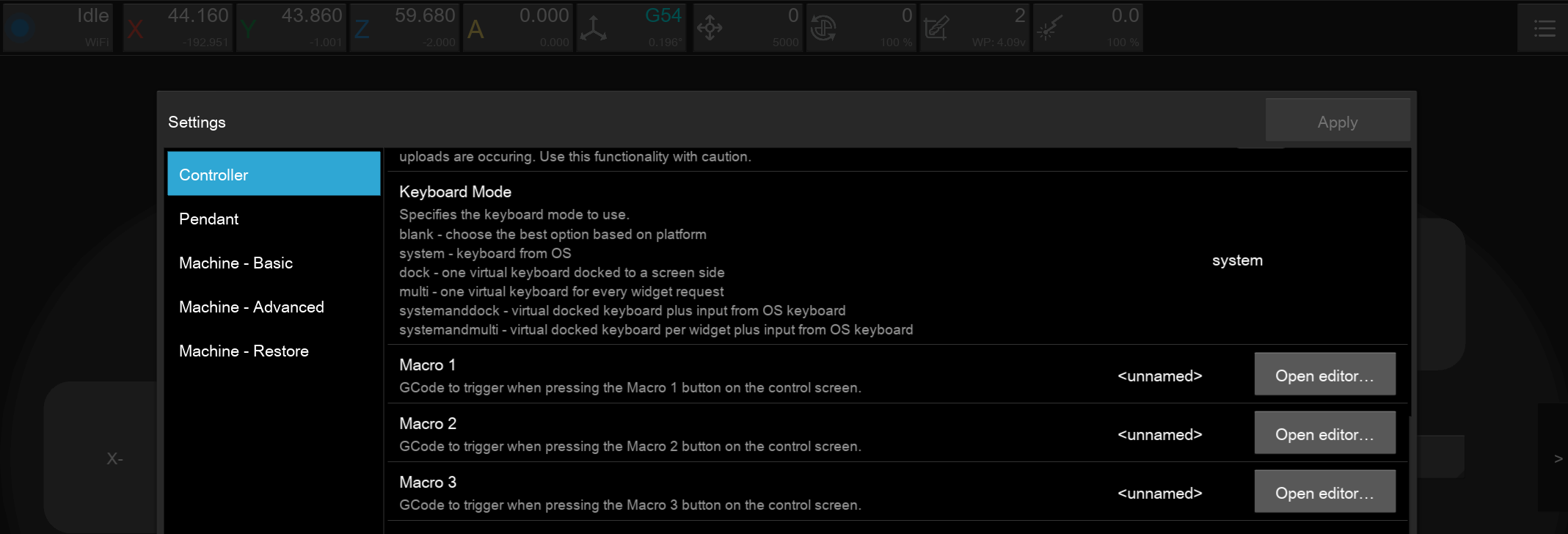
The macro gcode and name can be configured in **Settings** <img src="https://796221717-files.gitbook.io/~/files/v0/b/gitbook-x-prod.appspot.com/o/spaces%2FhIcl2yLv4r2ehdkJpmlK%2Fuploads%2Fgit-blob-11b6b76a946b02f8441dd70bfd4ce074fe465282%2Fimage.png?alt=media" alt="" data-size="line">, in the **Controller** section.

<figure><img src="https://796221717-files.gitbook.io/~/files/v0/b/gitbook-x-prod.appspot.com/o/spaces%2FhIcl2yLv4r2ehdkJpmlK%2Fuploads%2Fgit-blob-9df0ba9e80400a45b657e1c9a2439c23b730a2f0%2Fimage.png?alt=media" alt="" width="563"><figcaption></figcaption></figure>

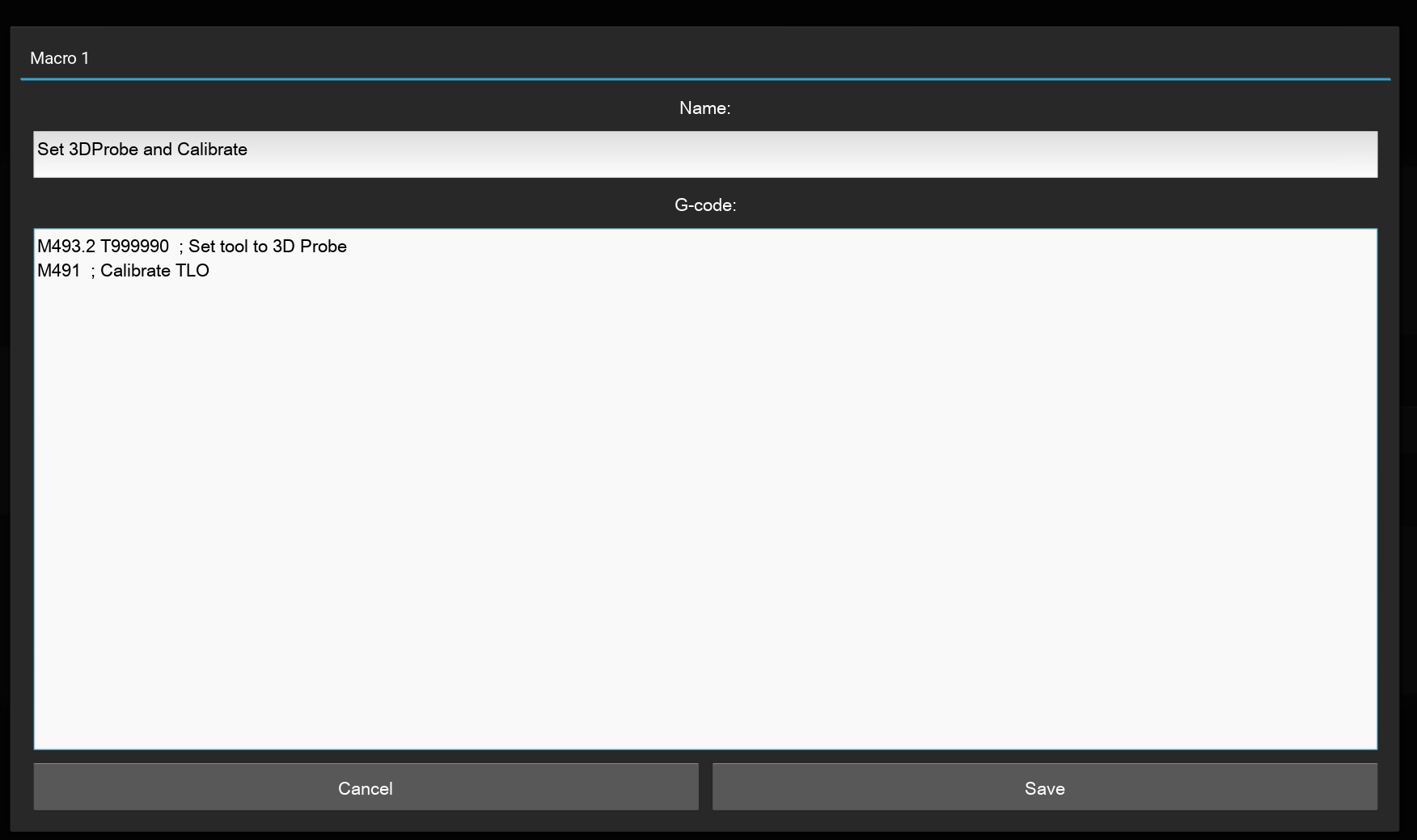
In the Macro Editor the macro name can be set as well as multiple lines of G-Code. Each new line is executed in sequence.
<figure><img src="https://796221717-files.gitbook.io/~/files/v0/b/gitbook-x-prod.appspot.com/o/spaces%2FhIcl2yLv4r2ehdkJpmlK%2Fuploads%2Fgit-blob-de038e9d664c8addfcbd34b3b0b889a00b3419c3%2Fimage.png?alt=media" alt=""><figcaption></figcaption></figure>