> For the complete documentation index, see [llms.txt](https://carvera-community.gitbook.io/docs/llms.txt). Markdown versions of documentation pages are available by appending `.md` to page URLs; this page is available as [Markdown](https://carvera-community.gitbook.io/docs/controller/about.md).

# About

The Community Controller is a [fork ](https://en.wikipedia.org/wiki/Fork_\(software_development\))of the Makera Carvera Controller that has a number of features and bug fixes added above and beyond the Makera software. See the [CHANGELOG](https://github.com/Carvera-Community/Carvera_Controller/blob/develop/CHANGELOG.md) and [screenshots](#screenshots) for more details.

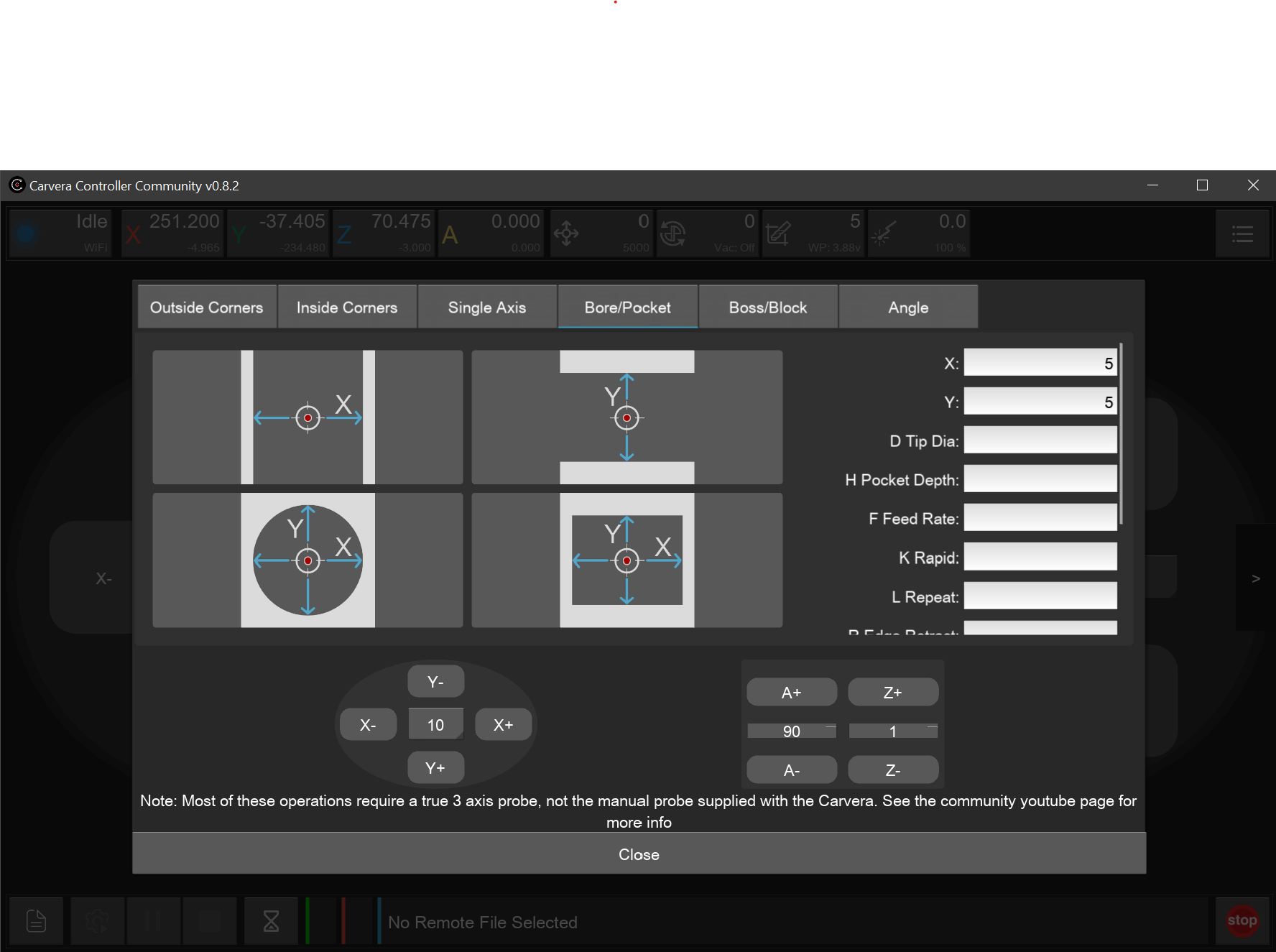
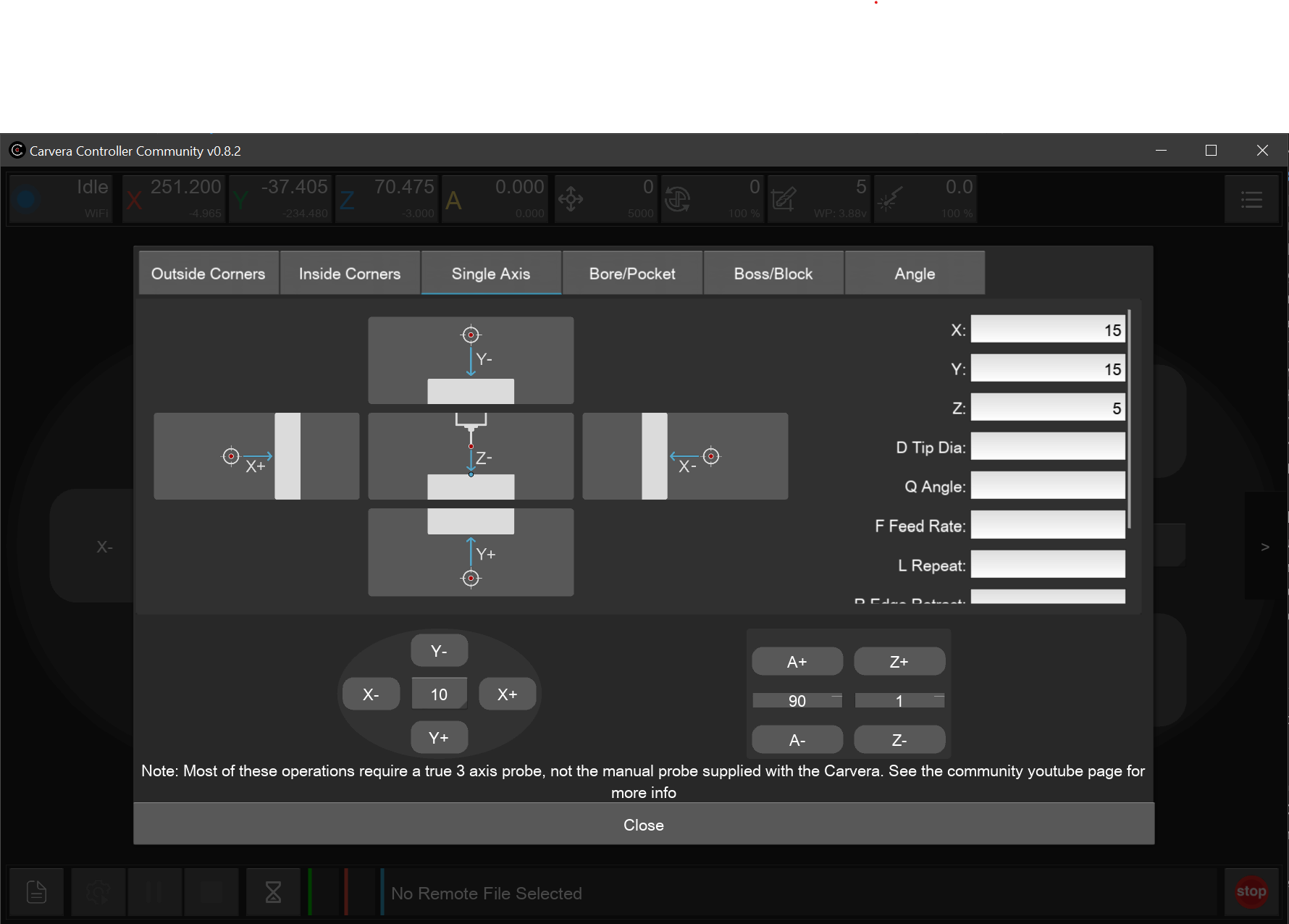
* **3-axis** and advanced **probing** UI screens for various geometries (**corners**, **axis**, **bore/pocket**, **angles**) for use with a [true 3D touch probe](https://www.instructables.com/Carvera-Touch-Probe-Modifications/) (not the included XYZ probe block)
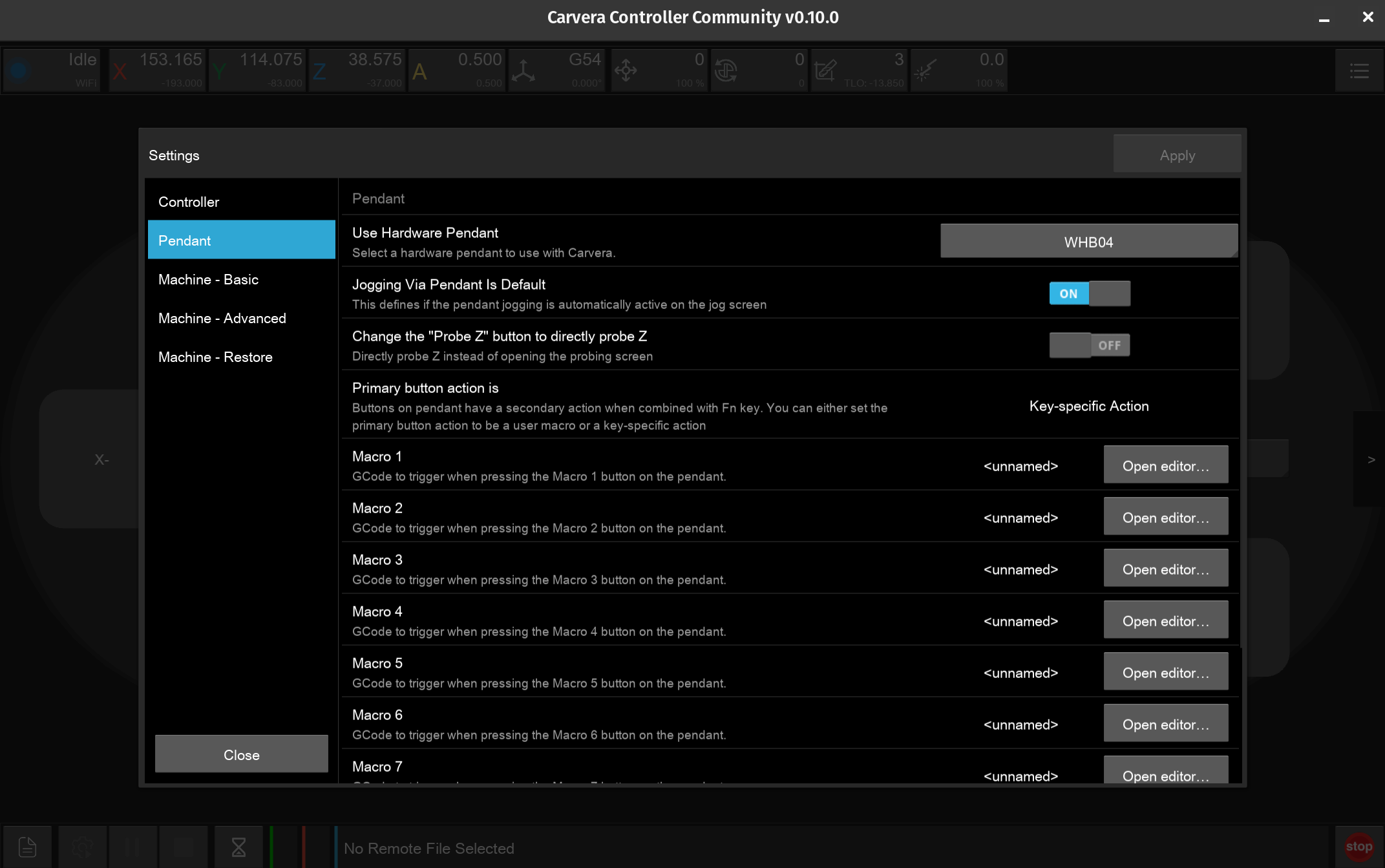
* [**Pendant** device support](/docs/controller/features/pendant-support.md) of **WHB04** family of **MPG devices**. Such devices can be used to jog, run macros, and perform feed/speed overrides.
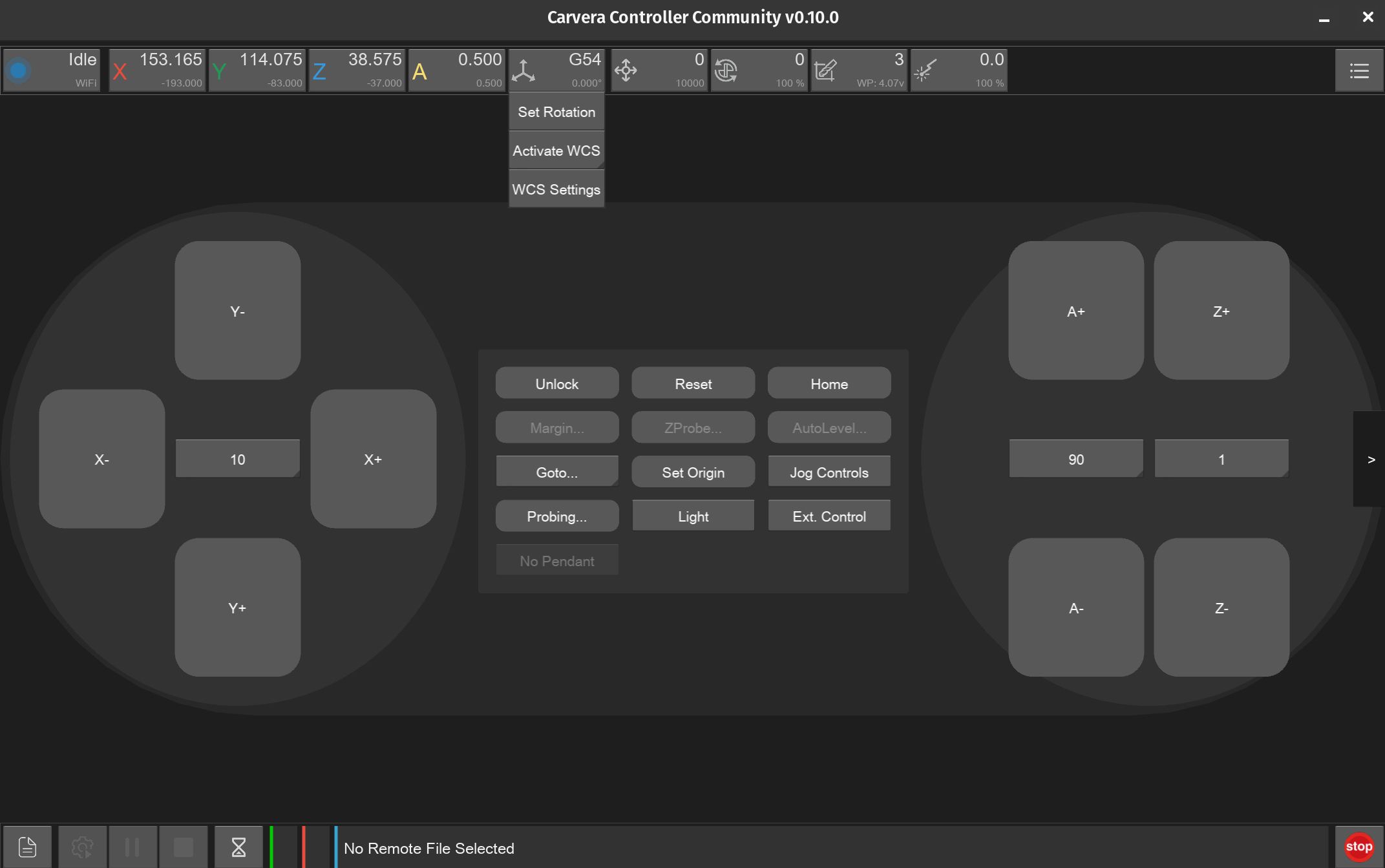
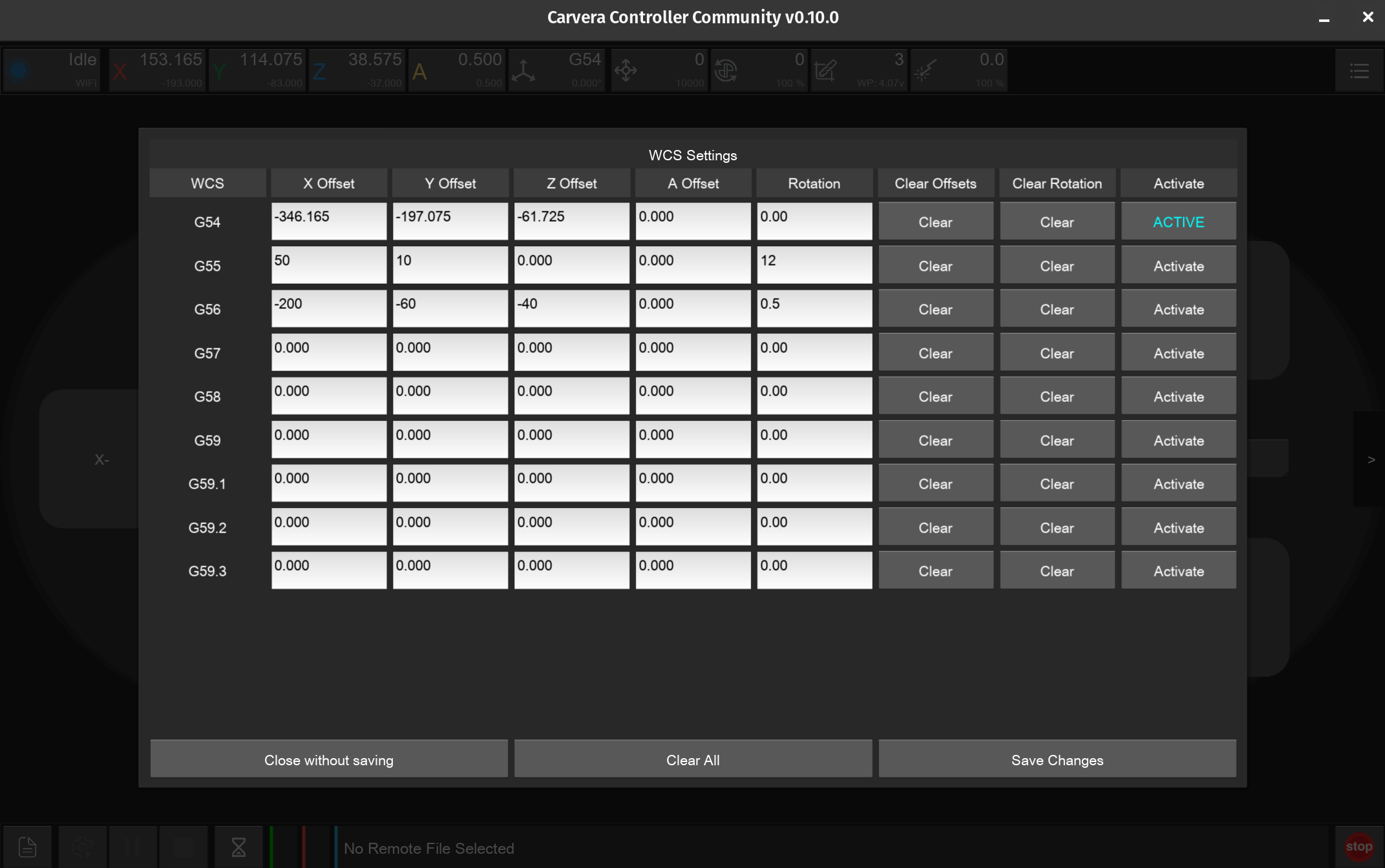
* [**Workspace Management**](/docs/controller/features/workspace-management.md) options supporting multiple Work Coordinate Systems (WCS) From G54 to G59.3
* [WCS Rotation](/docs/controller/features/wcs-rotation.md) capability meaning no more tramming of vises for alignment
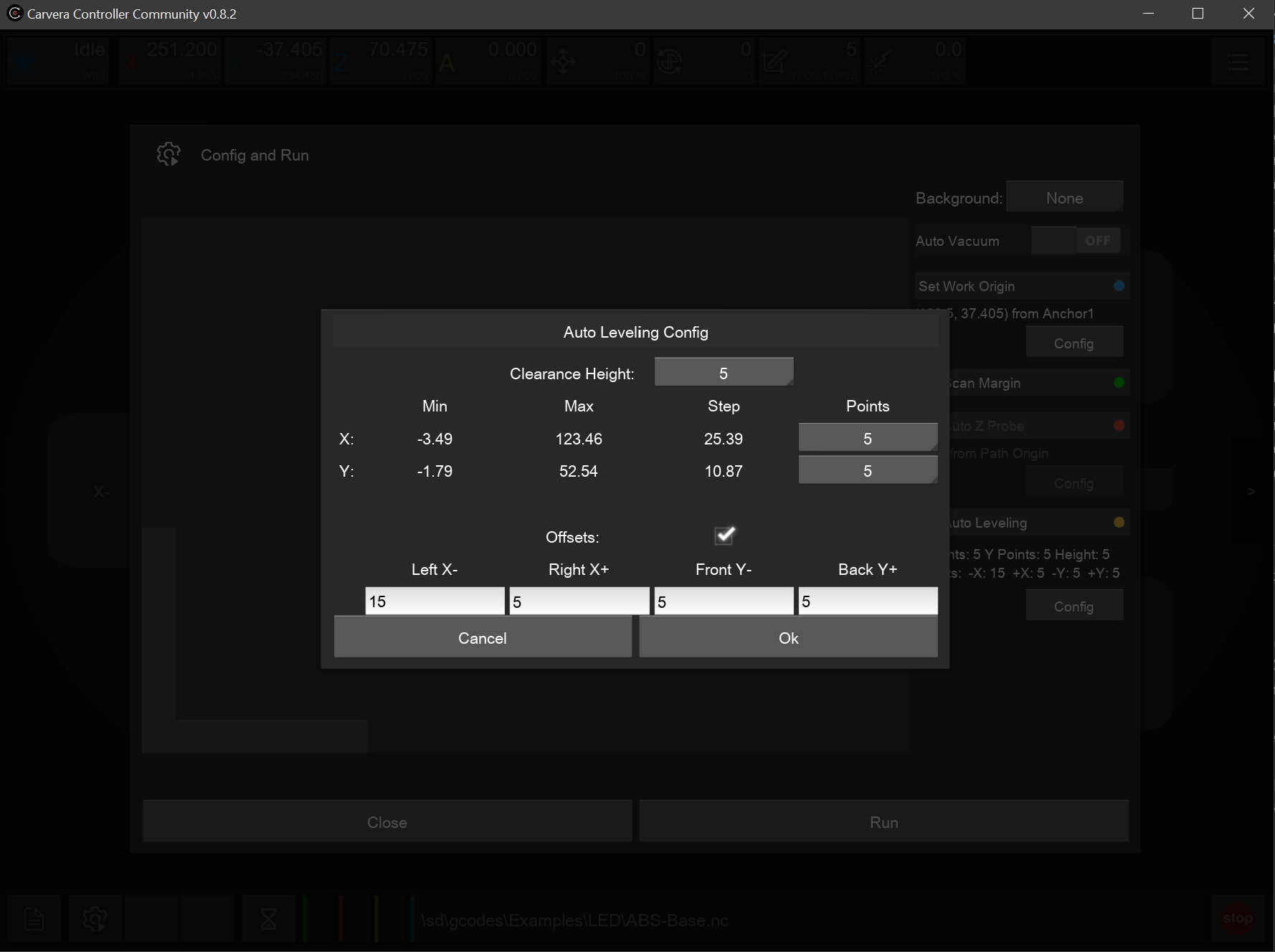
* Options to **reduce** the **autolevel** probe **area** to avoid probing obstacles
* **Tooltip support** for user guidance with over 110 tips and counting
* **Background images** for bolt hole positions in probe/start screens; users can add their own too
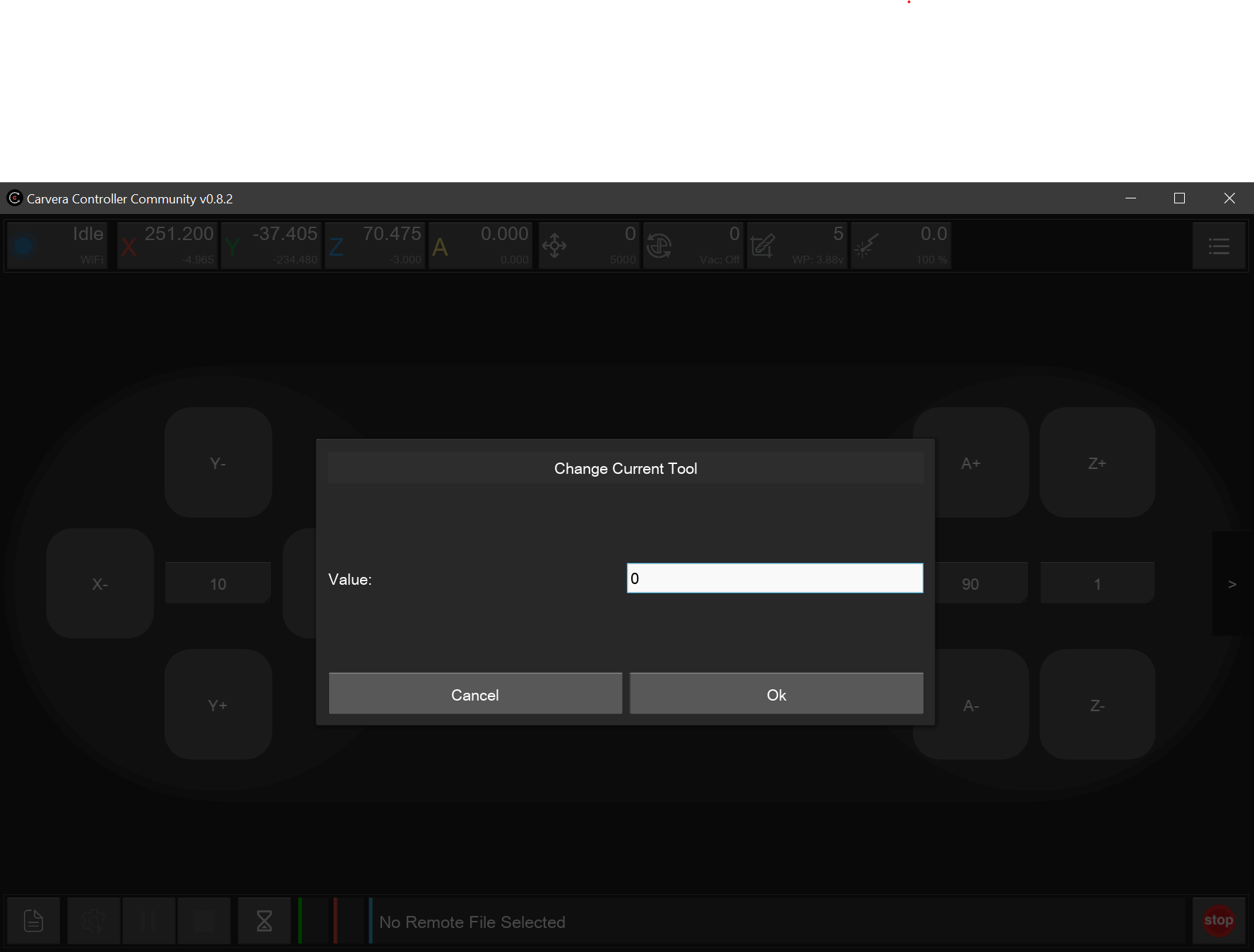
* Support for setting/changing to **custom tool numbers** beyond 1-6
* [Keyboard button](/docs/controller/features/jogging-controls.md#keyboard-jogging) based **jog movement** controls
* **No dial-home** back to Makera
* **Single portable binary** for Windows and Linux
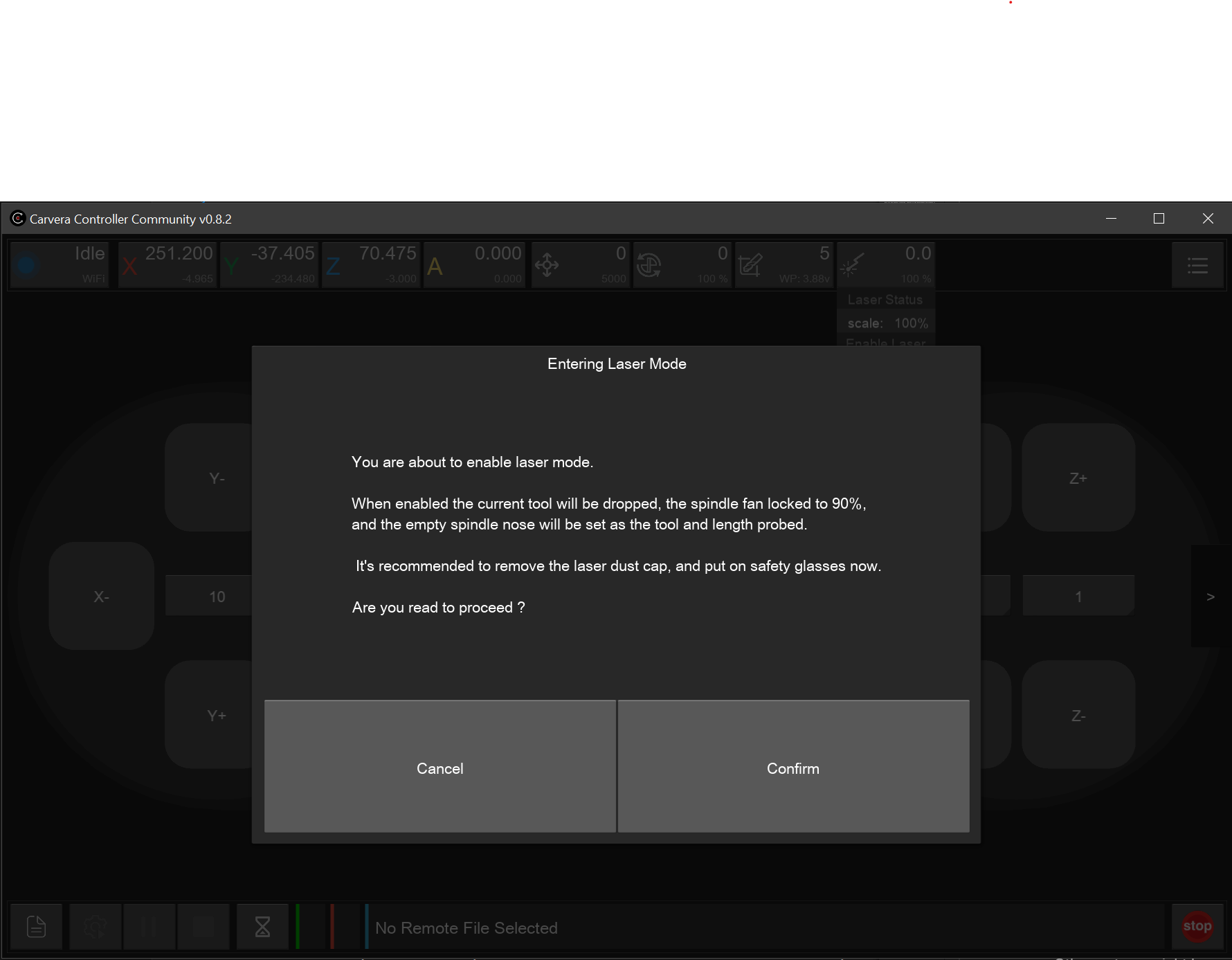
* **Laser Safety** prompt to **remind** operators to put on **safety glasses**
* **Multiple developers** with their own **Carvera** machines *"drinking their own \[software] champagne"* daily and working to improve the machine's capabilities.
* Various **Quality-of-life** improvements:
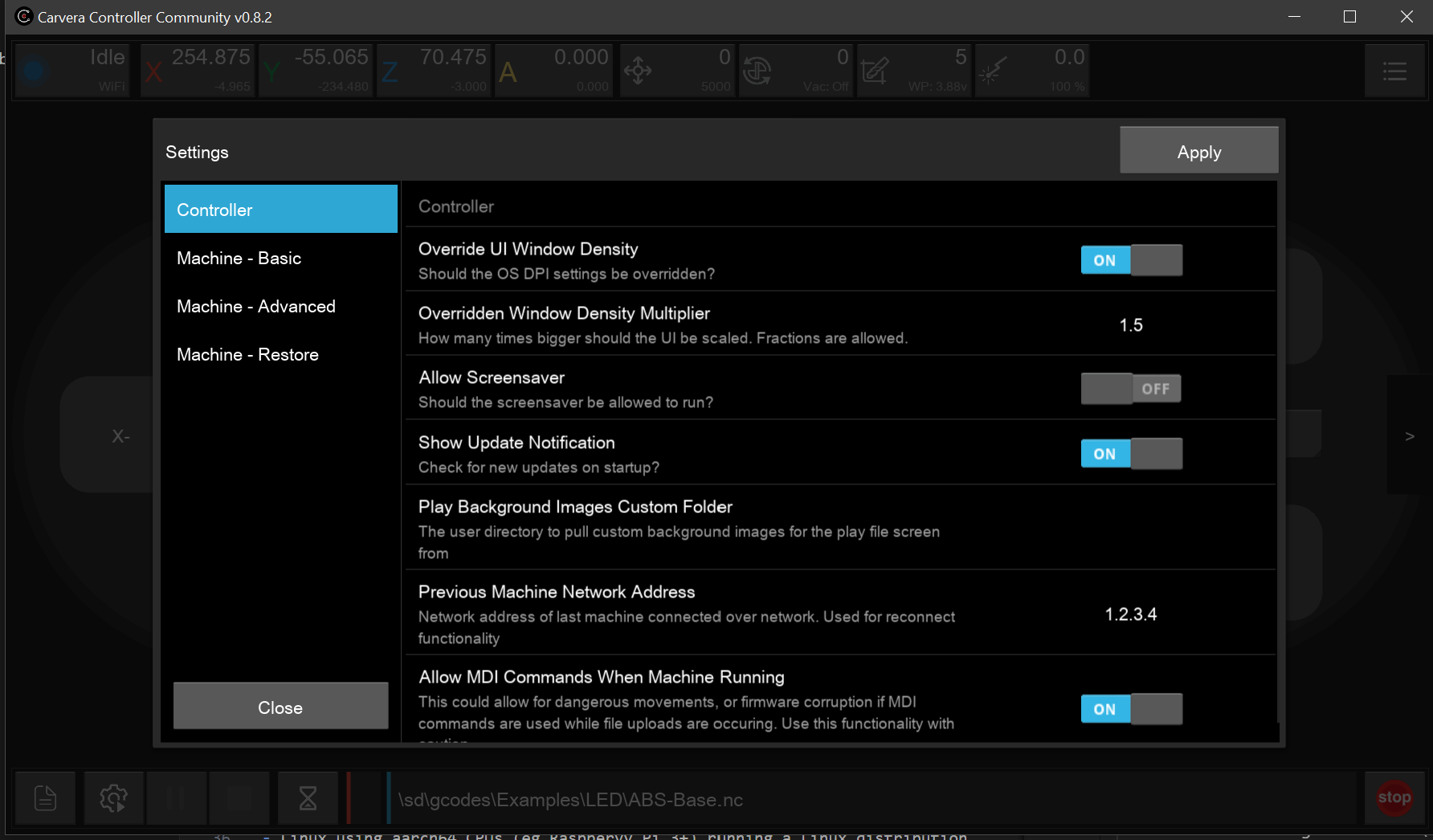
  * **Controller config settings** (UI Density, screensaver disable, Allow MDI while machine running, virtual keyboard)
  * **Enclosure light** and **External Output** switch toggle in the center control panel
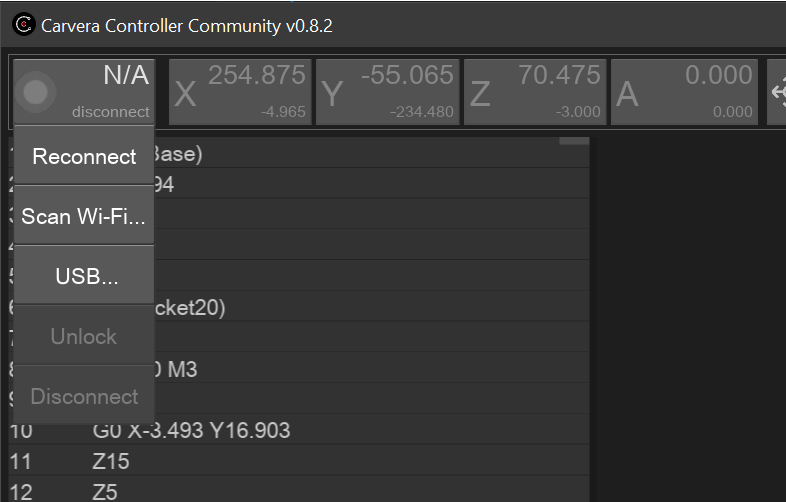
  * Machine **reconnect** functionality with stored last used **machine network address**
  * **Set Origin** Screen pre-populated with **current** offset values
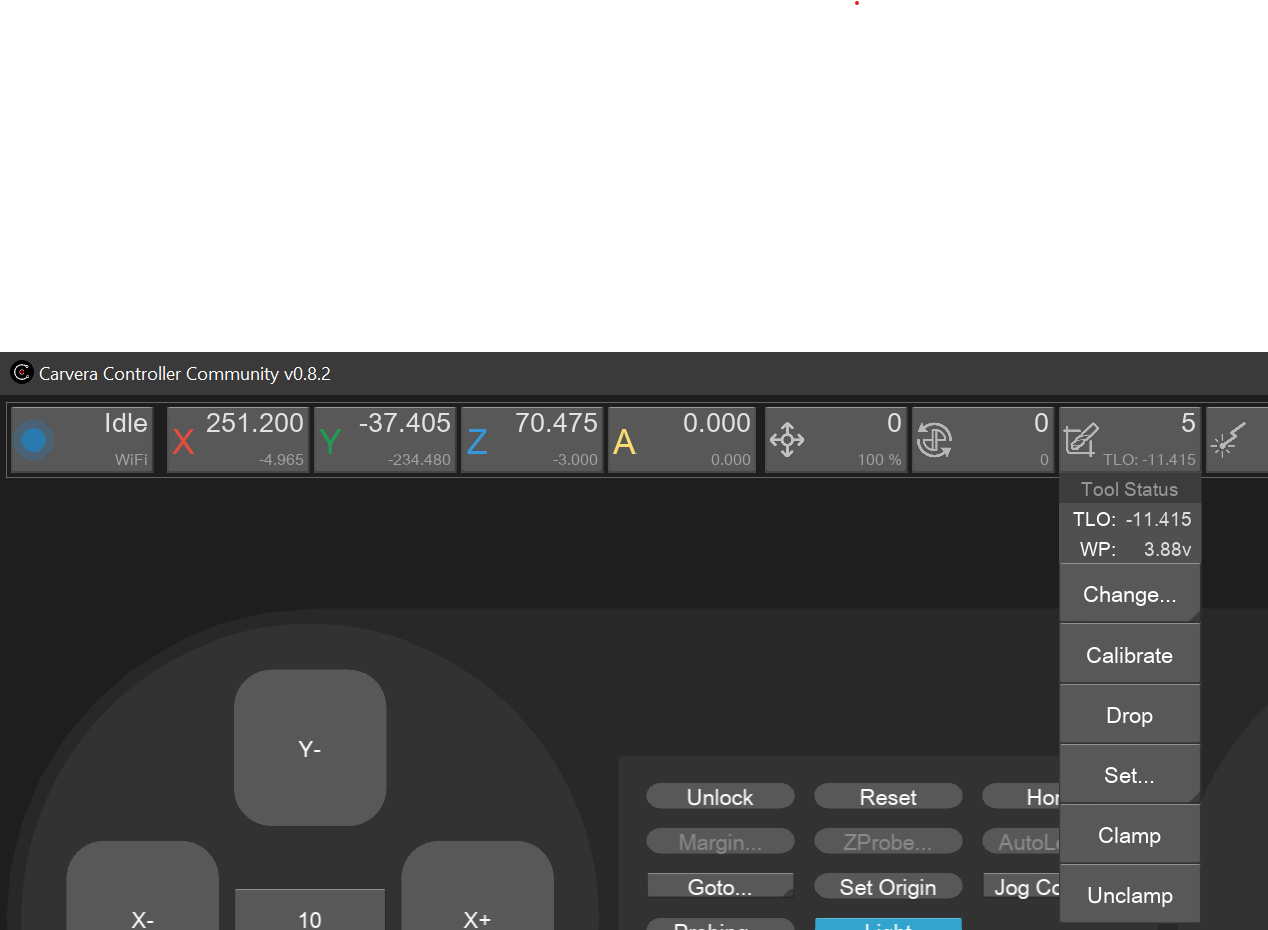
  * **Collet Clamp/Unclamp** buttons in Tool Changer menu for the original Carvera
  * Better file browser **upload-and-select** workflow
  * **Previous** file browsing location is **reopened** and **previously** used locations stored to **quick access list**
  * **Greater speed/feed** override scaling range from **10%** and up to **300%**
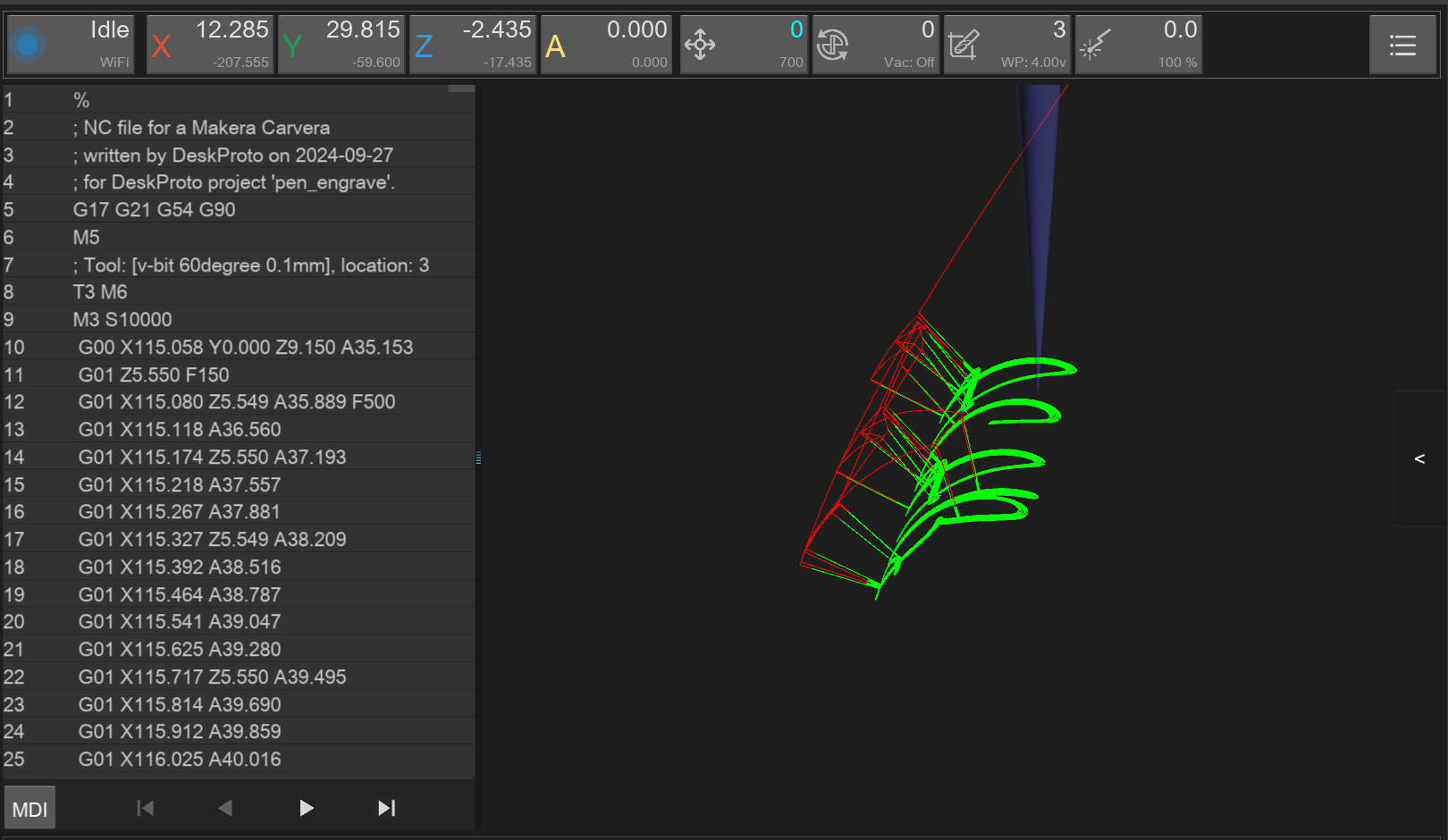
  * **Improved** 3D gcode visualisations, including **correct rendering** of movements around the **A axis**
  * [**Continuous Jogging**](/docs/controller/features/jogging-controls.md#continuous-jogging) support
  * [Auto-Reconnect capability](/docs/controller/features/auto-reconnect.md)
  * [Logging](/docs/controller/features/logging.md)

## **Screenshots**

Please note that the below screenshots maybe from previous versions.

<figure><img src="/files/l7zn5Qpd74AmJp640Yxt" alt=""><figcaption><p>3D Probe Inside Corner</p></figcaption></figure>

<figure><img src="/files/mzNNePS9cFELGRUN9tcY" alt=""><figcaption><p>3D Probe Inside Corner</p></figcaption></figure>

<figure><img src="/files/MAw4eSYZYkwEXm98SAFw" alt=""><figcaption><p>3D Probe Pocket</p></figcaption></figure>

<figure><img src="/files/dFtYp42BhdRWiQKVBkVw" alt=""><figcaption><p>3D Probe Single axis</p></figcaption></figure>

<figure><img src="/files/IortFJnIJxDL0N3xymVf" alt=""><figcaption><p>3D Visualisation</p></figcaption></figure>

<figure><img src="/files/PNivgFSFczcVcpA6EIjV" alt=""><figcaption><p>Autolevel with Offset Config</p></figcaption></figure>

<figure><img src="/files/CNrcibjVrXQ49jTuv5ir" alt=""><figcaption><p>Collet clamp dropdown</p></figcaption></figure>

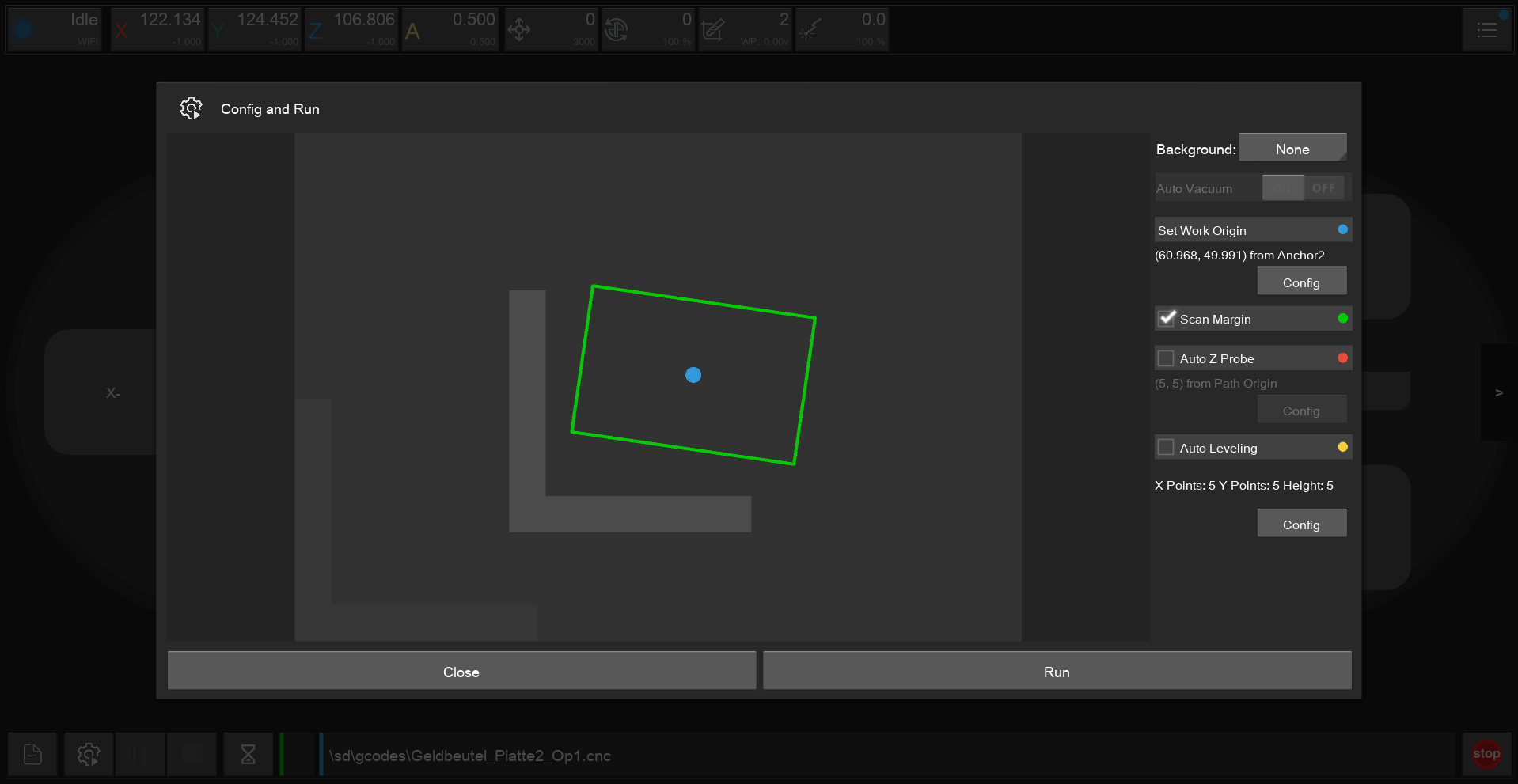
<figure><img src="/files/3jYCP1o0vU1nfoWYxLIT" alt=""><figcaption><p>Config and Run with Offsets and Background Image</p></figcaption></figure>

<figure><img src="/files/7hHR0CgSE04CpC3YxFZ5" alt=""><figcaption><p>Controller Settings</p></figcaption></figure>

<figure><img src="/files/BuGuGlGiLi87F88IfSCc" alt=""><figcaption><p>Custom Tool Numbers</p></figcaption></figure>

<figure><img src="/files/AktShAOM6WYBCCOFKaru" alt=""><figcaption><p>Laser Safety Prompt</p></figcaption></figure>

<figure><img src="/files/6wAUEtfTOBfIsvIMg5jk" alt=""><figcaption><p>Reconnect Button</p></figcaption></figure>

<figure><img src="/files/QyHMhHfKREBekgSa6ygh" alt=""><figcaption><p>Rotated WCS Support in Config and Run preview</p></figcaption></figure>

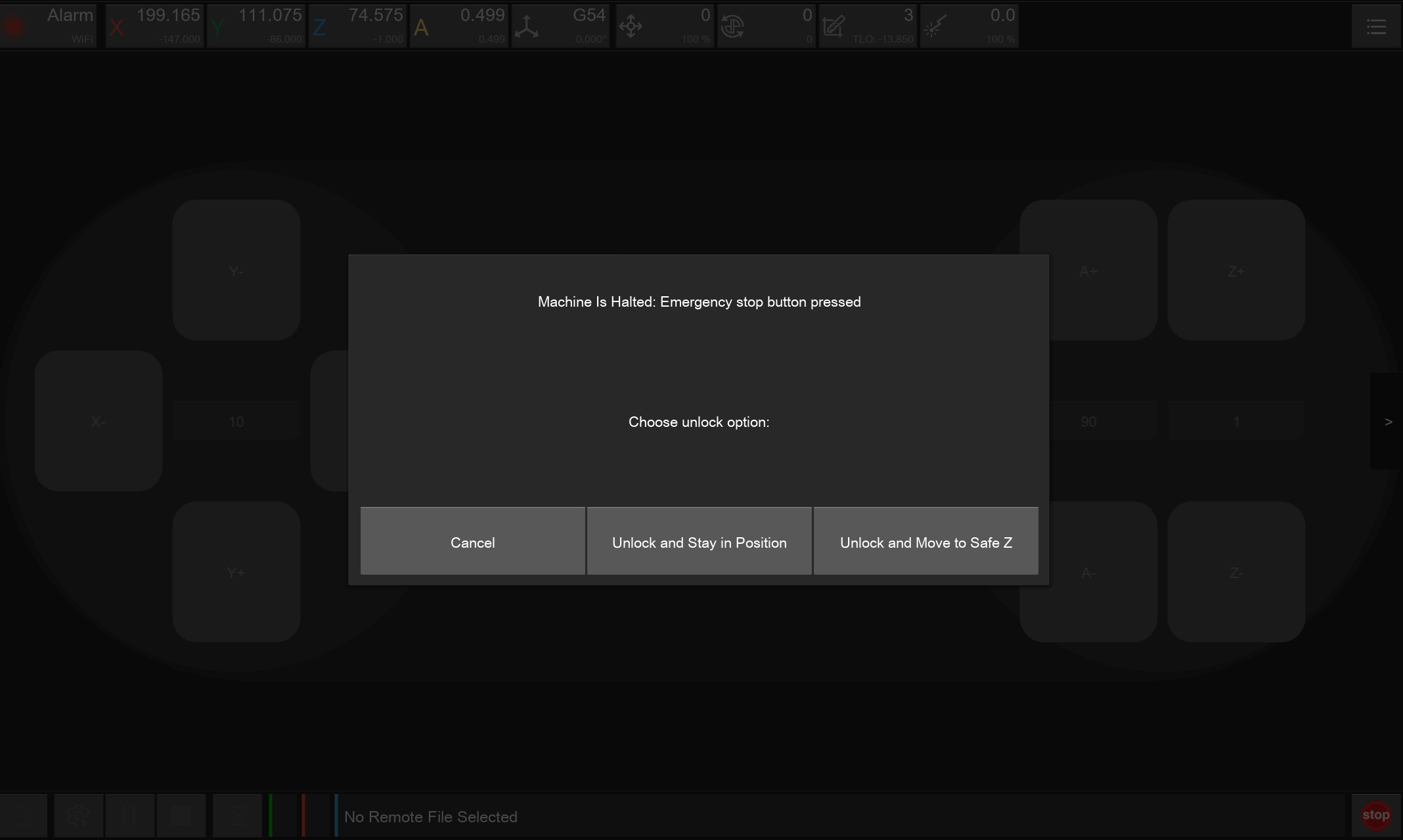
<figure><img src="/files/sy4j0xlxeIJiGtaNq9Mo" alt=""><figcaption><p>Unlock and Move to Safe Z</p></figcaption></figure>

<figure><img src="/files/2N5LxLkE57PWxWwfMxJj" alt=""><figcaption><p>Workspace Management Top Bar</p></figcaption></figure>

<figure><img src="/files/3pbsBsjDUDikQt8Kb8Tt" alt=""><figcaption><p>Workspace Settings</p></figcaption></figure>

<figure><img src="/files/oXczCTrqGyuzVGCXnP4c" alt=""><figcaption><p>Pendant Config</p></figcaption></figure>

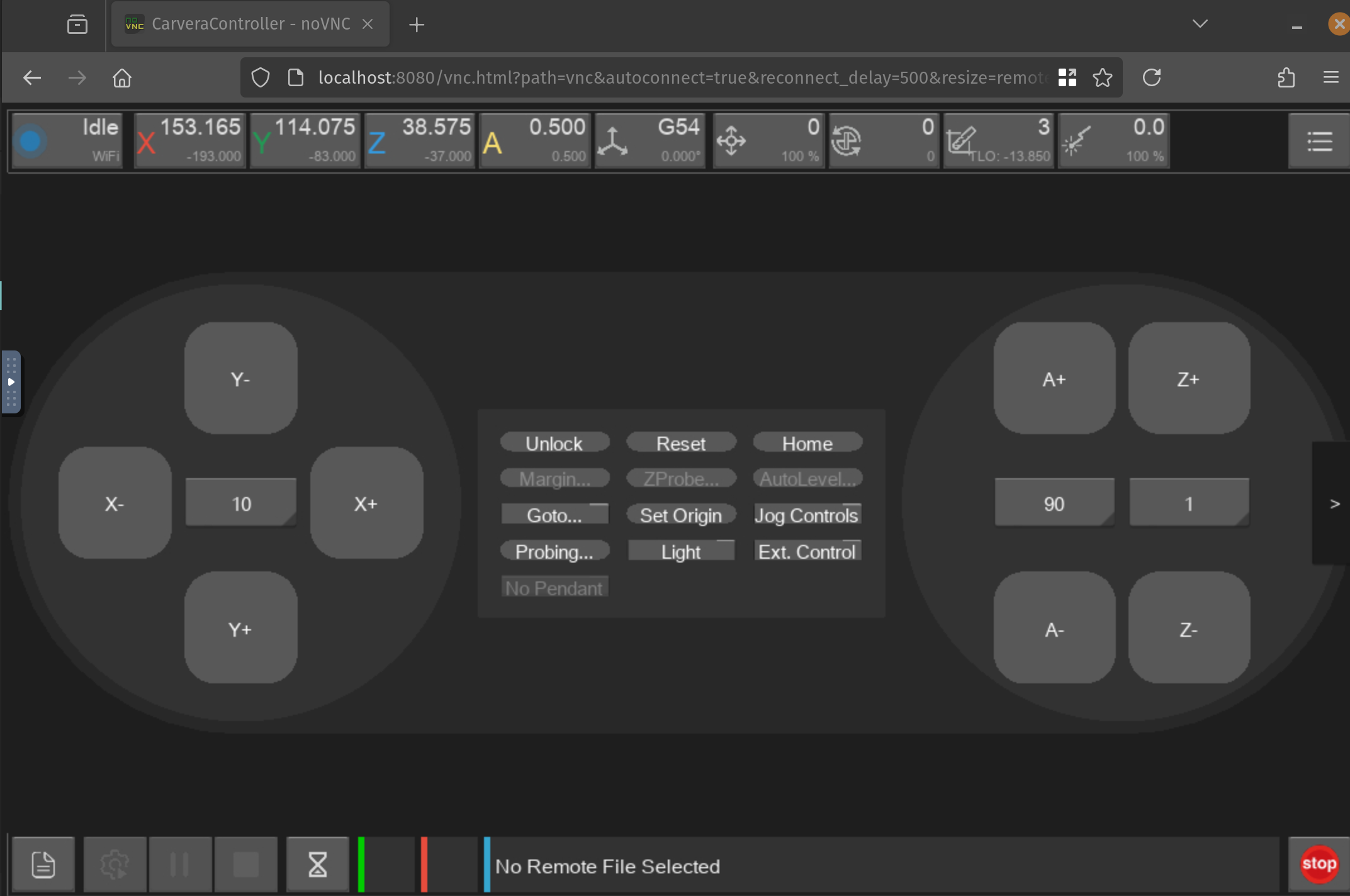
<figure><img src="/files/xLl2XSK67CTU35sPqxf7" alt=""><figcaption><p>Carvera Controller in a Web Browser (via Container)</p></figcaption></figure>


---

# Agent Instructions
This documentation is published with GitBook. GitBook is the documentation platform designed so that both humans and AI agents can read, navigate, and reason over technical content effectively. Learn more at gitbook.com.

## Querying This Documentation
If you need additional information that is not directly available in this page, you can query the documentation dynamically by asking a question.

Perform an HTTP GET request on the current page URL with the `ask` query parameter:

```
GET https://carvera-community.gitbook.io/docs/controller/about.md?ask=<question>
```

The question should be specific, self-contained, and written in natural language.
The response will contain a direct answer to the question and relevant excerpts and sources from the documentation.

Use this mechanism when the answer is not explicitly present in the current page, you need clarification or additional context, or you want to retrieve related documentation sections.